Video Conferencing for Meeting Rooms and Halls in Armenia

We equip spaces for meetings with remote participants: selecting cameras, microphones, displays and control systems. Design, supply, installation and commissioning are included in the agreed scope of work.

For an initial discussion, a description of the room and meeting format is sufficient. A floor plan or photos will help refine the solution.

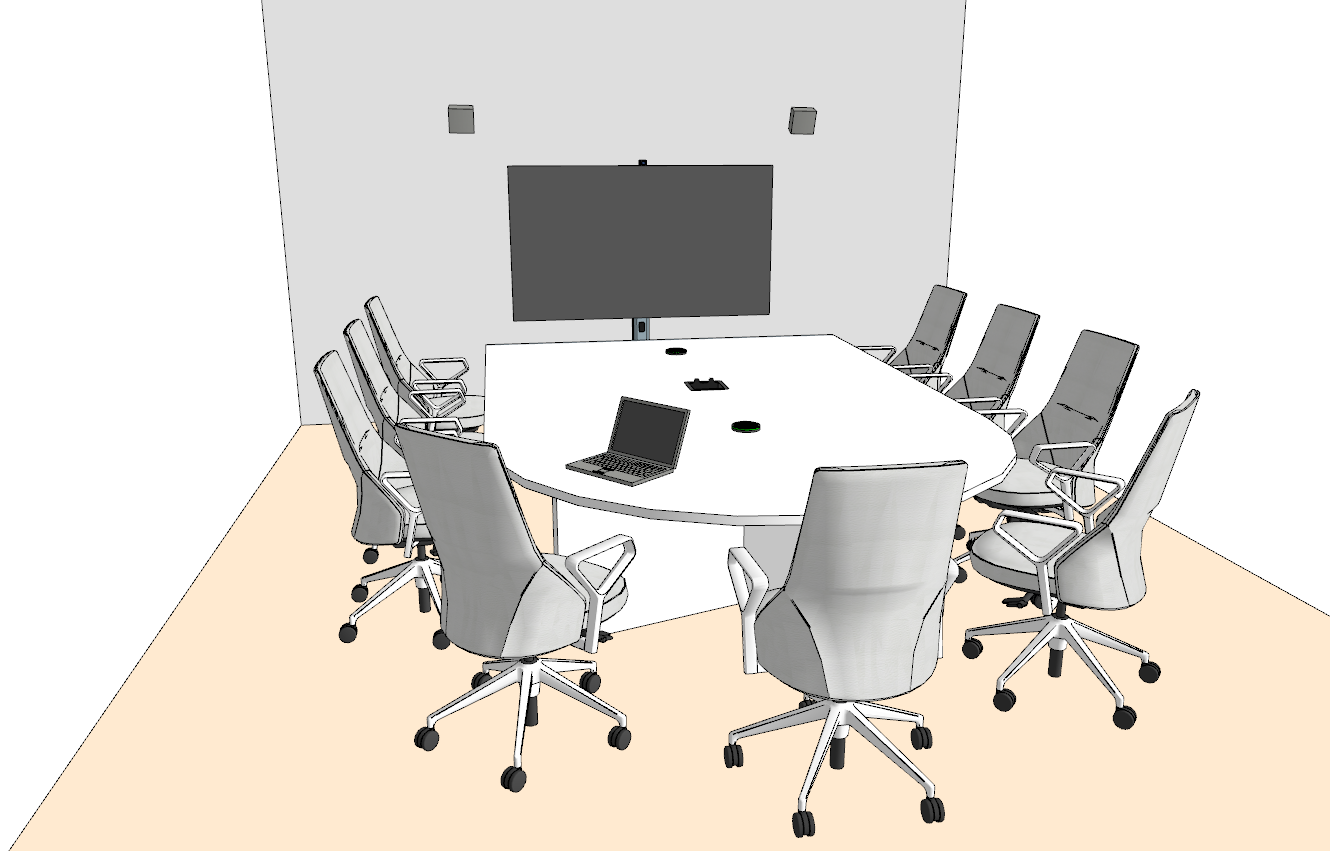
Typical meeting room model: table, tabletop microphones, display and camera above the display
Equipment placement example. A typical solution with tabletop microphones; not a photograph of a completed installation.

Which space needs to be equipped?

Seat count is only one parameter. Layout, table length, acoustics and communication format determine the microphone type, camera coverage and image size.

Small Meeting Room
Typical room model: example layout

Small Meeting Room

For working calls and presentation reviews. The camera must cover all seats at the table, microphones must pick up every participant's speech, and the display must show remote participants and shared content.

The model shows a layout for 7–9 seats. Equipment for a specific room is selected based on distances, seating arrangement and acoustics.

We clarify distances to the camera, ventilation noise, sound reflections, laptop connection method and the chosen platform.

Discuss this space
Medium and Large Meeting Room
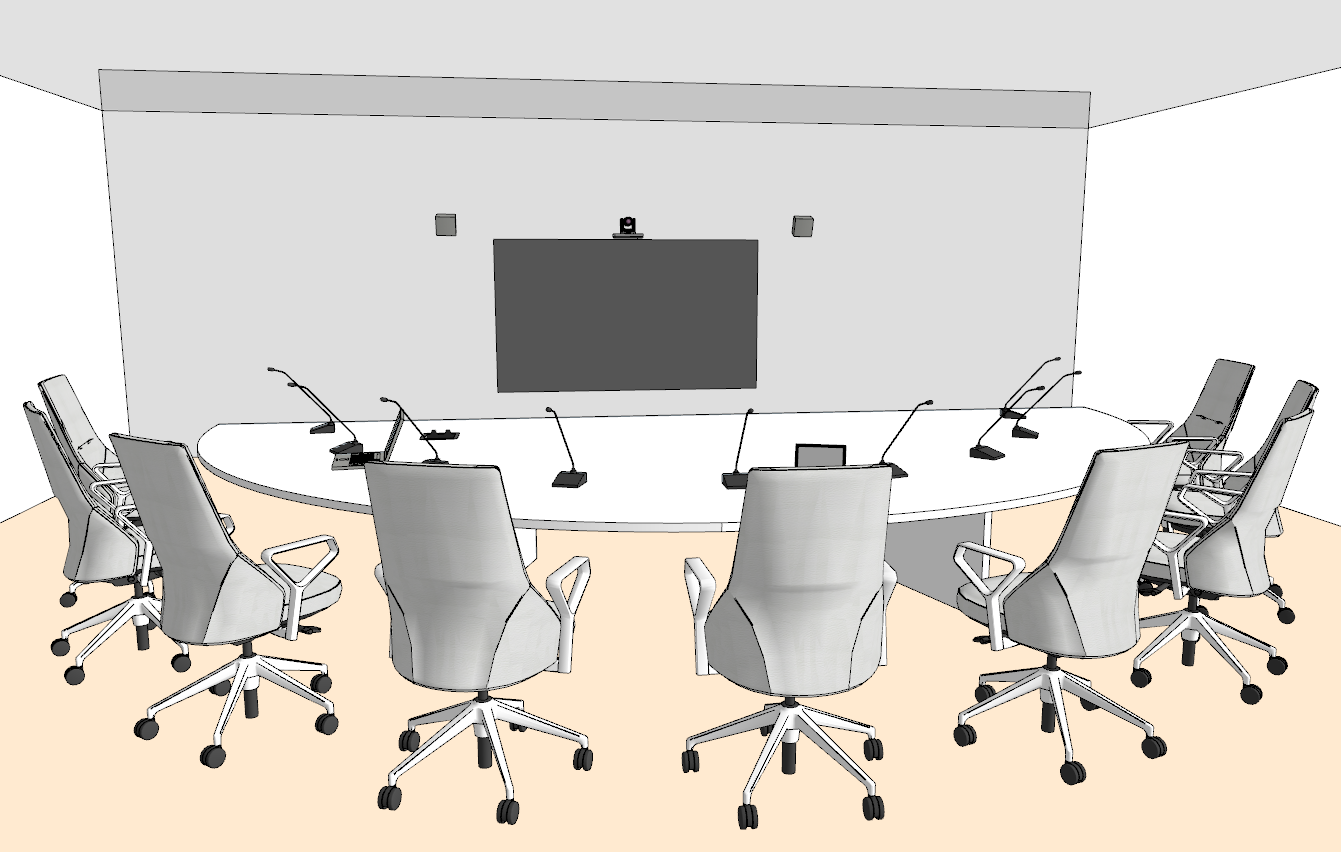
Equipment placement example. A typical solution with tabletop microphones

Medium and Large Meeting Room

For long tables, board meetings and sessions where identifying the active speaker matters. We discuss tabletop microphones, audio processing and speaker queue management.

In the configuration shown, the camera moves to the preset view associated with the active microphone. This requires compatible devices, seat-to-preset mapping and control configuration.

The audio equipment scope is selected based on the room, speaking order and method of joining the video meeting.

Discuss this space
Large Hall and Hybrid Event
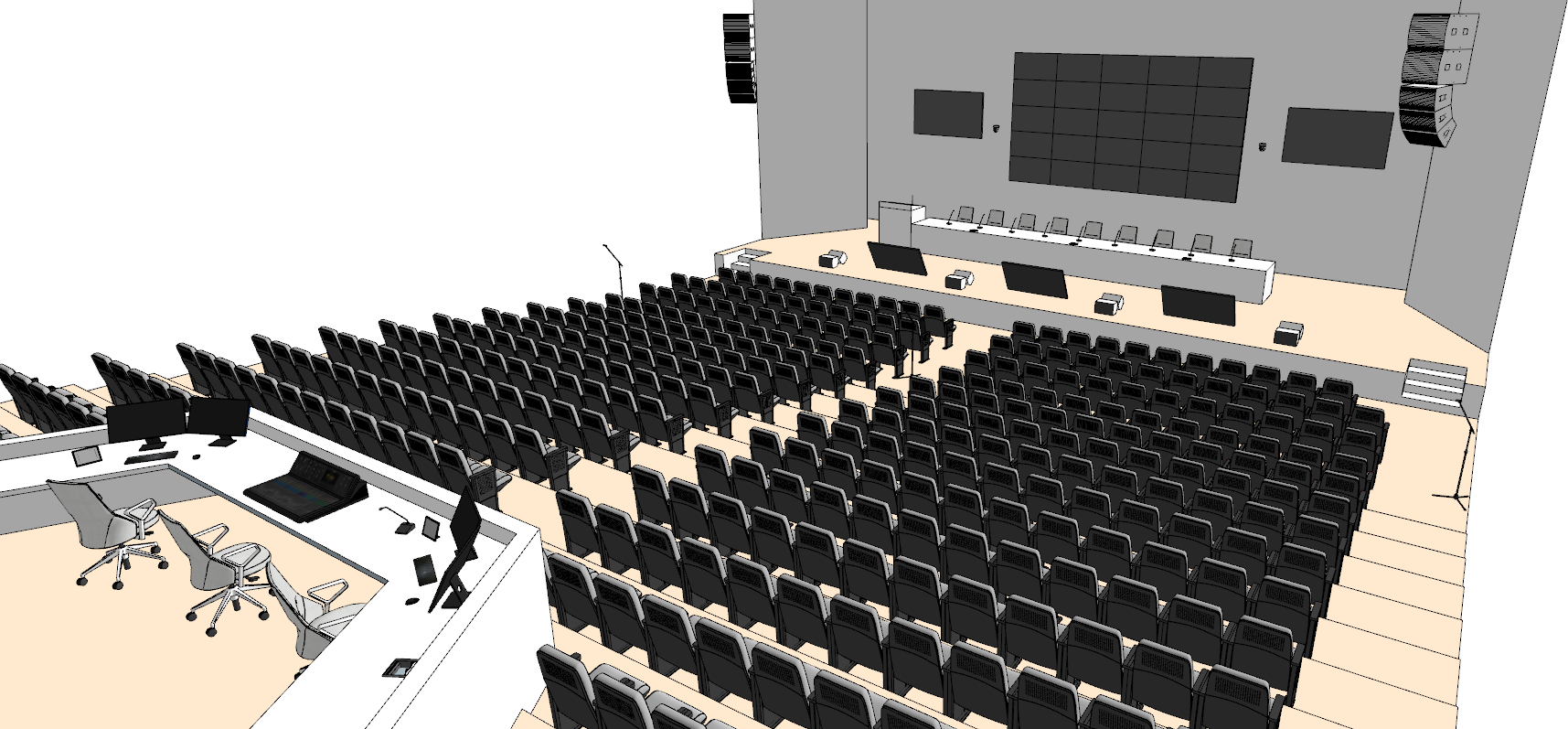
Typical room model: example layout

Large Hall and Hybrid Event

For presentations, audience questions and remote speakers. We coordinate cameras, microphones, in-room audio, presentation display and a separate signal for remote participants.

Multiple cameras, an operator position, a head table and interpretation facilities are included when the event format requires them.

Seating, lighting, acoustics, source switching, recording and streaming require separate design. Dividing the hall with a partition is a separate task.

Discuss this space

What ties the system into a single solution

The camera, microphones and display must work together with the meeting platform. In a large hall we additionally separate the audio for the audience from the audio received by remote participants.

Participant speech

Microphones → audio processing and echo cancellation → video conferencing device → remote participants. Microphone placement and settings are verified from actual seats.

Video and content

Cameras and a laptop with a presentation → coordinated source switching → meeting platform and in-room displays. The content sharing mode depends on the chosen architecture.

Remote side response

Meeting platform → in-room displays and audio system. Configuration must prevent received audio from being sent back into the call.

Day-to-day control

Connecting, selecting a source, adjusting volume and starting a meeting — from a laptop or a room control panel. Scenarios and user permissions are agreed in advance.

Join from a laptop or use a dedicated room system?

From a participant's laptop

The call is launched in the application on the laptop. It uses the room's agreed camera, microphones and audio via USB connection. We separately verify presentation output, connectors, cable lengths and the need for adapters.

Suitable when guests bring their own platforms. Compatibility with specific laptops and applications is verified during equipment selection.

On a dedicated room system

A room device or computer operates under a room account. A control panel and calendar can simplify meeting launch after equipment, accounts and network have been configured.

Licenses, calendar integration and joining meetings from other platforms depend on the hardware, software and IT policy.

Are you using Zoom, Microsoft Teams, Google Meet or another platform? Please specify primary and guest scenarios. Support for calls, presentations, recording and third-party meetings is verified separately; an identical feature set across all modes is not assumed.

Which capabilities need to be agreed separately

Automatic camera positioning

By active microphone, preset positions or a specific camera feature. These are different mechanisms with different limitations.

Recording and streaming

Platform-based or a dedicated recording path; access, licenses, storage and participant consent are determined by the client.

Interpretation and audience questions

Interpreter workstations, language channels and audience microphones are designed to match the event format.

Multiple rooms

Consistent user actions, management and maintenance can be agreed for a group of rooms. Transformable halls are verified for each partition configuration.

Existing equipment

We assess interfaces, condition, software support and limitations of existing displays, cameras, microphones and cabling. Items suitable for the agreed scenarios are included in the project.

Meeting room installation experience

Smart Century (Umvek) projects in Russia: examples of room installations integrating video conferencing, audio and displays.

Video Conferencing for MOSGORTUR, Moscow

3×3 video wall, Logitech Tap/Rally system and audio equipment; the project description specifies installation and commissioning.

View project

Video Wall for Classroom Video Conferencing, Saint Petersburg

For the Zh. Ya. Kotin Academy, a 2×2 video wall replaces a television and is used with the college's existing camera.

View project

From the room to a verified meeting

  1. Task discussion

    We document the room, seating layout, platforms, guest participation, content sharing and existing equipment. Power supply and network conditions are checked.

  2. Scope and proposal

    We agree on equipment, licenses, cabling infrastructure and works. For delivery to Armenia we clarify availability, shipping, proposal currency, lead times and warranty terms.

  3. Installation and commissioning

    We carry out the agreed works, configure audio and video routing, control systems and the chosen communication modes. Work involving the network, furniture and building structures is delineated in advance.

  4. Acceptance and training

    We check speech pickup from different seating positions, camera views, presentation sharing and the connection with a remote participant. We demonstrate how to start and end a meeting, and agree on documentation and ongoing support.

What affects the cost

Cost is influenced by room dimensions and acoustics, the number of microphones and cameras, displays, connection mode, licenses, cable run lengths, installation and additional scenarios. Comparing proposals by scope and included works is recommended.

The final scope, cost, delivery lead time and service terms are confirmed in the proposal for your specific project. A typical diagram is not a cost estimate or a guarantee of equipment availability.

Questions before equipment selection

Can existing displays and equipment be retained?

Yes, if their interfaces, condition and capabilities are suitable for the task. Send model names or photos of labels for assessment. Compatibility and connection quality are verified before inclusion in the final scope.

Will any video conferencing platform work?

The set of supported modes depends on the devices, software, licenses and organisational settings. We clarify the primary platform, guest meetings and laptop-based use separately. Specific scenarios, including content sharing, are confirmed.

Are licenses, delivery and installation included?

Inclusions and exclusions are listed in the proposal. Licenses and subscriptions, delivery, cables, mounts, installation, commissioning, training and support must be agreed as separate line items or explicitly included in the scope.

How are lead times and warranty determined for Armenia?

They depend on the selected models, availability, shipping route and site readiness. Lead times, warranty coverage for equipment and works, the claims procedure and service support terms are confirmed for each specific delivery.

What should I send if I don't have a technical brief yet?

City, approximate room dimensions or photos, seat count, meeting format and platforms in use. If you have a floor plan, equipment list and desired timeline — include those. A brief description is a good starting point.

Will the solution work for a training facility or hotel?

The scope is selected for the scenario: instructor and audience, presenter and floor questions, remote participants, recording or streaming. Different seating arrangements and transformable halls require separate coverage and control mode checks.

Tell us about the space and meetings

Provide the city, seat count and platforms. A floor plan, photos and a list of existing equipment can be shared after the first contact. We will clarify the requirements and prepare an agreed solution scope.

Mon–Fri 10:00–18:00, Yerevan